



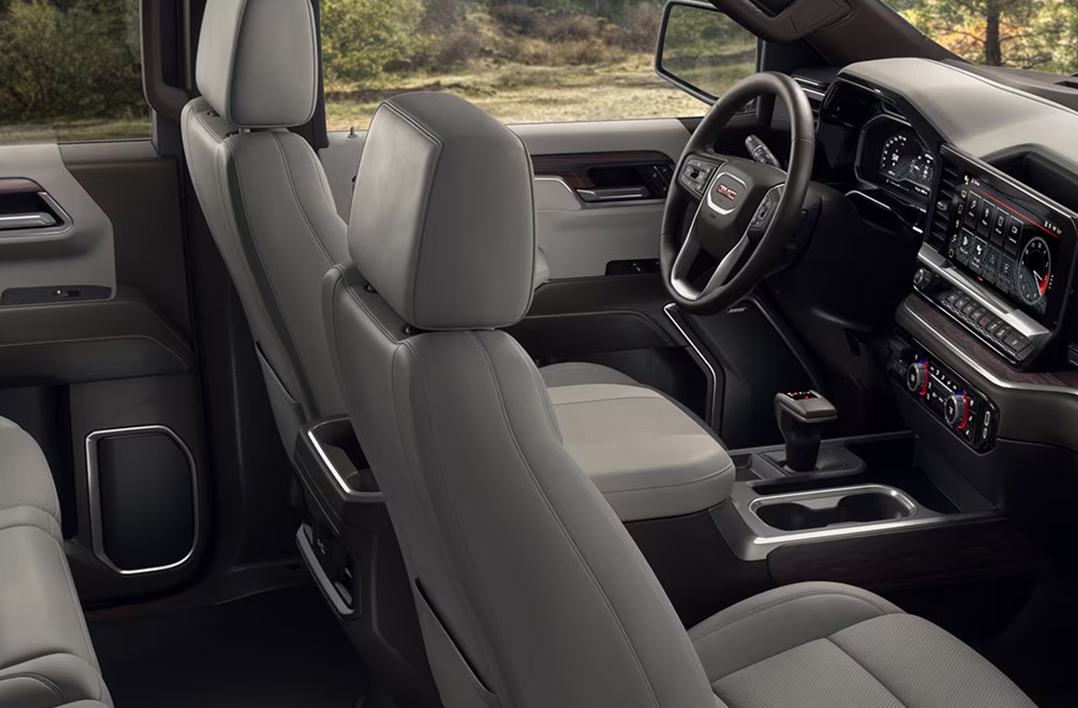
Ever walked back to your GMC Sierra 1500, 2500, or 3500 in the Quinby or Holcomb heat, only to find it mysteriously locked itself? Frustrating, right? You’re not imagining things—automatic or unexpected locking is a common headache for truck owners, especially with newer models like the 2025 GMC Sierra lineup. Whether it’s an electrical glitch, a sneaky key fob issue, or a setting you didn’t know was on, your truck’s locking system might be working overtime for the wrong reasons.
If your Sierra keeps playing hide-and-seek with its locks, don’t worry—we’ll break down what’s causing it and how you can fix it. And if the problem persists, the experts at Robert Brogden’s Garden City GMC, just minutes from Mansfield, are here to help you get it sorted fast!
Why Your GMC Sierra Locks Itself — And What You Can Do About It
It can be confusing—and annoying—when your truck locks itself for no clear reason. If your doors keep clicking shut when you don’t expect it, there’s usually a problem worth checking. This can happen with any truck, but it’s common in newer models where more tech runs the locks. A GMC door lock malfunction might be simple, like a worn part. Or it could be a sign of a deeper electrical issue.
Sometimes, a GMC Sierra auto-lock issue can even be caused by features in the 2025 Sierra security system. These systems are made to protect your truck, but when they glitch, you get the opposite effect—frustration. You might notice this in these forms:
- Doors lock while the truck is parked and turned off
- Locks click while driving without warning
- The system locks right after unlocking it
If your Sierra keeps locking itself, don’t ignore it. These are signs that something in the system needs repair or adjustment. In the next sections, we’ll cover what’s likely causing these problems and the best ways to stop them.
Common Locking Causes in the Sierra 1500, 2500, and 3500
If your Sierra keeps locking itself, the first place to check is the truck’s electrical system. The locks depend on a series of wires, switches, and relays. If one piece fails, it can cause strange behavior. This is often the case in trucks like the Sierra 1500, Sierra 2500, and Sierra 3500 that take on rough work or miles of road.
A GMC door lock malfunction might come from one or more of these issues:
- Worn door lock actuator: This part controls the lock’s motor. When it breaks, the lock may trigger by mistake.
- Loose or damaged wiring: Wires that connect the locks can wear out or come loose, causing bad signals.
- Short circuits: A short can confuse the truck’s lock system and send random signals to lock or unlock.
- Faulty ignition switch: A bad switch can trick the truck into locking, even if you don’t ask it to.
If any of these are the cause, your truck may lock while driving, parked, or even when the keys are inside. Left unchecked, these faults can get worse. That’s why it’s smart to have your truck looked at, especially if you rely on the 2025 Sierra security system to keep your gear safe.
Is Your Key Fob to Blame? Key Fob Battery and Programming Tips
Sometimes the problem isn’t with the truck itself. The key fob can be the hidden cause of an unintended Sierra locking problem. When the fob sends mixed or weak signals, your doors might lock on their own. This is common in the Sierra 1500, Sierra 2500, and Sierra 3500, where the fob plays a big part in the lock system.
If your Sierra keeps locking itself, check the key fob first. A weak or dead battery can send odd signals to the truck. This may confuse the 2025 Sierra security system, causing the locks to trigger when they shouldn’t. Common signs of fob trouble include:
- Delayed door locking or unlocking
- Doors locking twice when you didn’t press the button
- A reduced range for the fob signal
If these sound familiar, try replacing the fob battery. If that doesn’t help, the fob might need to be reprogrammed. A dealership can reprogram the fob to ensure it talks to your truck the right way. This quick step can save you from future lock mishaps and restore peace of mind.
Automatic Locking Features You Might Not Know Are Enabled
If your Sierra keeps locking itself, it might not be a glitch at all. Many trucks come with auto-lock features that owners don’t even realize are turned on. The 2025 Sierra security system includes smart settings meant to keep your truck safe, but they can also confuse drivers who aren’t aware of them.
Some of these features include:
- Passive Locking: Locks the doors when you walk away with the key fob.
- Delayed Locking: Waits a few seconds after the last door shuts before locking all doors.
- Speed-Sensitive Locking: Automatically locks the doors when the truck reaches a set speed.
These tools are great for safety, but they can feel like a GMC Sierra auto-lock issue if you don’t know they’re active. Each Sierra 1500, 2500, and 3500 can be set to use or skip these options. You can change the settings right from the truck’s screen. A quick check in your owner’s menu might be all it takes to stop the mystery locks.
Other Reasons Your GMC Sierra May Lock Itself Automatically
If your Sierra keeps locking itself and it’s not the fob or the settings, there are still other causes to check. Some of these are easy to miss but can still lead to a GMC Sierra auto-lock issue. Trucks like the Sierra 1500, Sierra 2500, and Sierra 3500 have complex systems that can be thrown off by small problems.
Here are some of the most common hidden causes:
- Corroded Battery Terminals: Rust or grime on the battery can mess with the truck’s power and signals.
- Bad Door Lock Relay: A weak relay can send false lock or unlock signals to the doors.
- Trailer Light Wiring Problems: If your truck is wired for a trailer, poor connections can cause feedback into the system.
These issues can trick the 2025 Sierra security system into locking the doors when it shouldn’t. Even a slight power drop or stray signal can lead to an unintended Sierra locking event. A full check of your truck’s battery, relays, and trailer connections can help solve the problem before it gets worse.
How to Fix or Prevent Your Sierra From Locking Itself
If your Sierra keeps locking itself, there are ways to fix it before it gets worse. Many causes of a GMC door lock malfunction can be handled with simple steps. Others may need a trained tech, but starting with the basics can save time and stress.
Here are easy ways to fix or stop an unintended Sierra locking problem:
- Change the key fob battery: A fresh battery can clear up weak signals fast.
- Clean battery terminals: Remove dirt or rust to keep power steady.
- Check the lock settings: Use the menu in your truck to turn off auto-lock if you don’t want it.
- Inspect trailer wiring: Make sure trailer lights and plugs are wired right and free from damage.
- Replace the door lock actuator: If it’s worn out, have it replaced by a skilled tech.
If these steps don’t fix the problem, it’s smart to visit a dealer. The systems in the Sierra 1500, Sierra 2500, and Sierra 3500 can be complex. A service team can test the 2025 Sierra security system and find deeper issues you might miss. Fixing the problem now keeps your truck safe and easy to use.
Prevent Future Lockouts with These Pro Tips
No one wants to get locked out of their truck—especially when you’re miles from help. If your Sierra keeps locking itself, a few smart habits can keep you from getting stuck again. These tips work well for all models, whether you drive a Sierra 1500, Sierra 2500, or Sierra 3500.
Follow these pro tips to prevent a GMC Sierra auto-lock issue:
- Keep a spare key fob: Store it somewhere safe, like your home or with a trusted friend.
- Check your lock settings: Review and adjust the auto-lock features in the 2025 Sierra security system.
- Replace the fob battery each year: A weak battery can cause a GMC door lock malfunction when you least expect it.
- Inspect your battery and terminals: Clean them often to keep the truck’s power steady.
- Check trailer wiring before each trip: Bad wiring can lead to an unintended Sierra locking issue.
These small steps can save you a lot of trouble down the road. A little care keeps your truck in shape and your locks under control.
Why does my GMC Sierra’s doors keep locking by themselves?
Your GMC Sierra’s doors may lock by themselves due to a faulty door lock actuator, short circuit, damaged wiring, or incorrect lock settings.
Is the auto-lock feature malfunctioning or set incorrectly?
Yes, in many cases, the auto-lock feature is either malfunctioning or set to lock automatically when driving, walking away, or after a delay.
How can I adjust or disable automatic locking?
You can adjust or disable the automatic locking through your Sierra’s infotainment settings menu. Check under “Vehicle Settings” then “Power Door Locks” to change auto-lock preferences.
Could a key fob fault cause unintended locks?
Yes, a weak key fob battery or a damaged fob can send random signals, causing the doors to lock unintentionally.
What diagnostics can determine if it’s a wiring or module issue?
A certified technician can run a diagnostic scan tool to check for fault codes in the door lock system, wiring integrity, and control modules.
If these answers don’t resolve your issue, it may be time to have your 2025 Sierra security system professionally inspected to prevent further lockouts.
Get Support for Your Sierra Robert Brogden’s Garden City GMC
If your GMC Sierra is still locking itself and you’re ready for expert help, the team at Robert Brogden’s Garden City GMC is here for you. Whether you’re in Quinby, Holcomb, or Mansfield, our certified technicians can diagnose and repair any door lock or electrical issue with precision. Plus, while you’re here, why not explore our wide selection of trucks? We have the latest Sierra 1500, Sierra 2500, and Sierra 3500 models waiting for you on the lot.
Still curious about your truck’s features or performance? You might also want to learn why your GMC Sierra keeps asking for a password or find out which GMC trucks come with V4, V6, and V8 engines. And if you’ve ever wondered about fuel options, we’ve also covered which GMC trucks need premium gas. Keep exploring our site for answers, tips, and the latest models perfect for your next drive!
We’re here to help. Contact Robert Brogden’s Garden City GMC today or stop by to speak with our certified technicians in person.
Get Directions to Robert Brogden’s Garden City GMC
Disclaimer: All information is provided for general informational and entertainment purposes only. While we strive for accuracy, we cannot guarantee that all content is complete, current, or error-free. Any reliance you place on such information is strictly at your own risk. This article may include opinions and is not endorsed by, or officially affiliated with, any vehicle manufacturer or brand. Always consult official sources – such as the vehicle’s owner’s manual, authorized dealerships, or certified professionals – for the most up-to-date and personalized information.
Connect with us


