



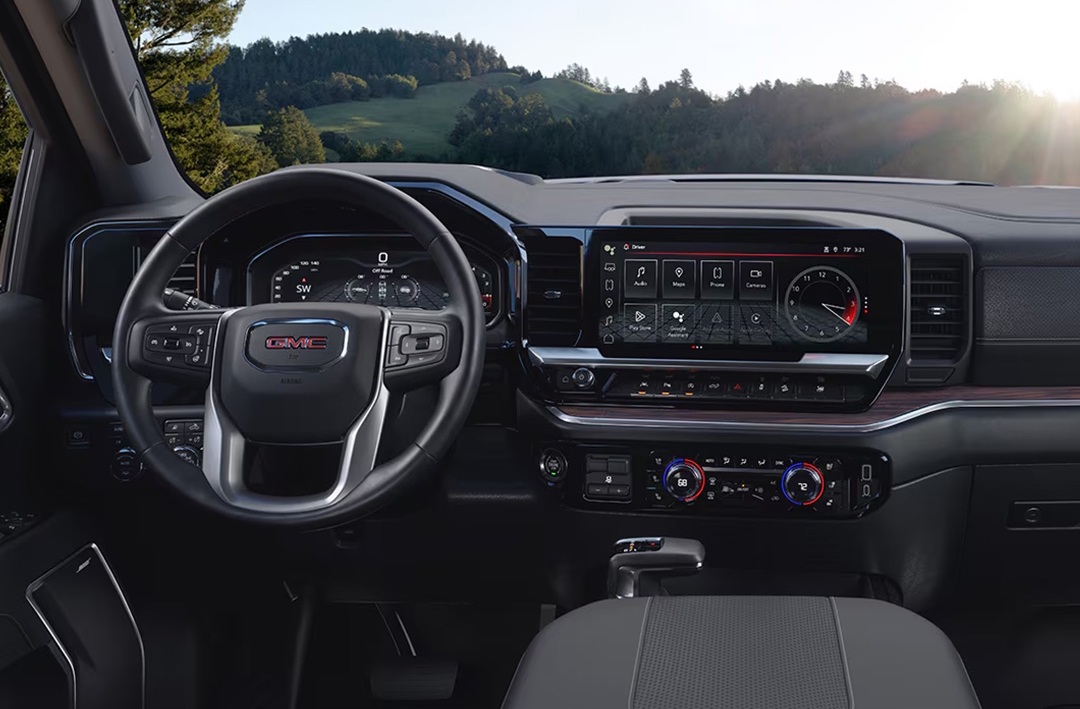
At Robert Brogden’s Garden City GMC, we are proud to be the trusted source for drivers in Garden City, Deerfield, Wolf, Lakin, and Hartland. Whether you’re searching for a new Sierra 1500, Sierra 2500, or Sierra 3500, or you need expert service, genuine GMC parts, or professional repairs, our team is here to help. From sales to service and everything in between, we put your needs first, making sure you get the care and attention your vehicle deserves. If you’re experiencing any concerns with your GMC Sierra or have questions about maintenance, give us a call or contact us today—we’re ready to assist you.
The GMC Sierra “Shift to Park” message can be confusing, especially when your truck is already in Park. In this article, we’ll break down why this alert happens, what it means for your Sierra 1500, Sierra 2500, or Sierra 3500, and what steps you can take to fix it. From transmission range sensors to shift linkage and software updates, we’ll cover the most common causes and solutions so you’ll know when a simple check is enough—or when it’s time to visit a trusted GMC dealer like Robert Brogden’s Garden City GMC.
Why Does the GMC Sierra Show a “Shift to Park” Message?
Drivers of the Sierra 1500, Sierra 2500, and Sierra 3500 may sometimes see a GMC Sierra “Shift to Park” message even when the shifter is already set to park or after their truck is turned off. This alert can be confusing. It may feel like the truck does not know what gear it is in.
The cause is often linked to how the truck reads the shifter’s position. When the system cannot confirm the shifter is in park, it shows a warning.
Here are the most common reasons this GMC transmission prompt may appear:
- Sensor issues – A faulty transmission range sensor can give the wrong signal.
- Linkage problems – The shift linkage may be loose or out of line.
- Wiring faults – Wires or plugs may be worn or not tight.
- Shifter assembly defects – A bad shifter can send false alerts.
- Software errors – Outdated software can confuse the system.
When the truck shows a shift-to-park requirement, it is simply telling you that the system does not sense Park with full certainty. The message is not always a sign of major failure, but it should not be ignored. Small issues can grow into larger ones if left unchecked.
How Common Is the Shift-to-Park Issue in the Sierra 1500, 2500, and 3500?
The shift-to-park requirement is a known issue in the GMC Sierra lineup. Many drivers of the Sierra 1500, Sierra 2500, and Sierra 3500 have reported seeing the alert. In most cases, it is not tied to a single model year. Instead, it can appear in both older trucks and newer ones.
The GMC Sierra “Shift to Park” message does not always mean there is a serious fault. Still, it is common enough that owners should know what to expect. The problem shows up more often in trucks that have seen heavy use or high miles. Yet, even a newer truck, like the 2025 Sierra, may flash the park gear alert if a sensor or wire is off.
Here are some factors that affect how often the issue occurs:
- Model age – Older trucks are more likely to show the Sierra gear warning.
- Driving conditions – Dust, dirt, and road wear may cause loose parts or wiring.
- Use level – Heavy towing or long drives may stress the linkage or shifter.
- Software version – Trucks without the latest updates may give a false GMC transmission prompt.
For most owners, the warning is more of an annoyance than a major repair sign. It can happen now and then, but it does not always mean a full part replacement is needed. What matters most is how often it comes back. If it shows up many times a week, it is worth a check at a GMC service center.
Could a Faulty Transmission Range Sensor Be the Cause?
One of the most common reasons for the GMC Sierra “Shift to Park” message is a bad transmission range sensor. This part is also called the Park/Neutral Position (PNP) sensor. Its job is to tell the truck’s computer what gear the shifter is in. If the signal is wrong, the system may not confirm that the truck is in Park.
When the sensor fails, the driver may see a Sierra gear warning or even a 2025 Sierra park gear alert. This can happen in the Sierra 1500, Sierra 2500, or Sierra 3500. The issue may be rare at first, but as the sensor wears, the warning may appear more often. Some clear signs of a faulty sensor include:
- “Shift to Park” message shows when truck is in Park.
- Truck will not turn off right away.
- Hard starts or no start if the system does not sense Park or Neutral.
- Random GMC transmission prompts appear when shifting gears.
A bad sensor is not always easy to spot without the right tools. A scan tool can read error codes and help confirm if the sensor is the cause. While some handy drivers may try to inspect it, most repairs are best done at a service center. That way, the part can be checked, reset, or replaced if needed.
Ignoring the shift-to-park requirement may lead to more than just an alert on the dash. Over time, it could stop the truck from starting or shutting down as it should. For that reason, this part should not be left unchecked if the warnings appear often.
What Role Does the Shift Linkage Play in a GMC Sierra Gear Warning?
The shift linkage is the part that links the gear shifter to the transmission. In the Sierra 1500, Sierra 2500, and Sierra 3500, this piece makes sure the gear you choose matches what the truck reads. If the linkage is loose, bent, or out of line, the system may not sense Park the right way. This can cause a GMC Sierra “Shift to Park” message or a Sierra gear warning on the dash.
A weak or misaligned linkage does not always fail at once. The problem may show up now and then before it gets worse. Drivers may first notice the 2025 Sierra park gear alert when they try to shut off the truck, or when the system gives a false GMC transmission prompt while shifting.
Signs of shift linkage issues include:
- Truck feels loose when shifting gears.
- Delay when moving from Park to Drive.
- “Shift to Park” message shows even in Park.
- Shifter feels out of line or stiff.
If the linkage is the cause, it can often be fixed with an adjustment. In some cases, parts may need repair or swap. Leaving the issue alone may cause more wear to the transmission or the shifter. That is why it is best to have a service team check the linkage when the shift-to-park requirement keeps showing.
Can Wiring and Connector Issues Trigger the “Shift to Park” Message?
Yes. Wiring and connector problems can trigger the GMC Sierra “Shift to Park” message. The Sierra 1500, Sierra 2500, and Sierra 3500 rely on clean signals from the transmission system. If the wires or plugs are damaged, the truck may not read Park the right way.
Even a small fault can cause the system to flash a Sierra gear warning or a false GMC transmission prompt. This may happen now and then at first. Over time, the warnings can show more often and even stop the truck from shutting down.
Here are some wiring and connector issues that may cause a 2025 Sierra park gear alert:
- Loose plugs – Vibration can shake plugs free from the sensor.
- Worn wires – Age, heat, or sharp bends can break wire strands.
- Corrosion – Moisture or salt can eat away at contacts.
- Debris build-up – Dirt and dust may block a clean connection.
When these faults occur, the system sees a gap in the signal. The computer cannot confirm the gear, so it adds the shift-to-park requirement alert.
The tricky part is that wiring damage is not always visible. Some wires are tucked deep under panels. Others may look fine on the outside but be frayed inside. A scan tool can help narrow down the area of concern, but many times a tech is needed to trace the fault.
For drivers, it’s smart not to ignore early signs. Fixing a loose plug is far easier than dealing with larger electrical damage later.
Is the Shifter Assembly Itself Causing the Sierra Gear Warning?
In some cases, the GMC Sierra “Shift to Park” message comes from the shifter assembly itself. This part sends signals to the truck’s computer about gear position. If the assembly fails, it can send mixed or false signals. That is when drivers of the Sierra 1500, Sierra 2500, or Sierra 3500 may see a Sierra gear warning or a GMC transmission prompt even while in Park.
A worn shifter assembly does not always break all at once. The issue may start with small signs and then get worse. Some problems can be fixed with repair, while others need a full swap.
Here are some clues that the shifter assembly may be the cause:
- Shifter feels loose or does not “click” in place.
- 2025 Sierra park gear alert shows up often after short drives.
- Truck struggles to shut down or restart.
- Shift-to-park requirement shows even after you move the shifter firmly.
To make it easier to see how this plays out, here’s a quick view:
| Minor Shifter Issues | Major Shifter Issues |
| Loose feel in shifter | Repeated false “Shift to Park” alerts |
| Rare warning on dash | Truck will not shut off or restart |
| Fix with adjustment | Full shifter assembly replacement |
If the shifter assembly is at fault, it is best handled by a trained tech. Adjustments or new parts can restore clear signals and stop the warnings. Ignoring the issue may risk wear to the transmission or lead to no-start problems down the road.
Could Outdated Software Be Behind the Sierra Park Gear Alert?
Not all Sierra gear warnings come from worn parts. At times, the issue may be linked to outdated software in the truck’s system. The software in a Sierra 1500, Sierra 2500, or Sierra 3500 helps the shifter, sensors, and control unit “talk” to each other. If it falls behind, the system may misread signals and show a GMC Sierra “Shift to Park” message or GMC transmission prompt when no fault is present.
A software glitch often mimics hardware failure. Drivers may see the 2025 Sierra park gear alert more often after updates are missed. Unlike a broken part, though, a software fix is often fast and less costly.
Here are some signs software could be the cause:
- The shift-to-park requirement shows up right after a system update.
- Warnings appear but no parts seem loose or worn.
- The issue clears for a while, then comes back.
Keeping the Sierra system current can help:
| Action | Benefit |
| Run system updates | Removes bugs that cause false alerts |
| Check software at service visits | Keeps truck in sync with factory fixes |
| Ask dealer about recalls | Some updates are covered at no cost |
If outdated software is the cause, the solution may be as simple as a reflash or update from the dealer. This helps ensure smooth signals and may save time by ruling out costly part swaps.
What Steps Can You Take to Troubleshoot the GMC Sierra “Shift to Park” Message?
When a GMC Sierra “Shift to Park” message or Sierra gear warning shows up, it can feel confusing. The good news is there are clear steps you can take to track down the cause. These steps apply whether you drive a Sierra 1500, Sierra 2500, or Sierra 3500.
Start with the basics before moving to more complex fixes. Many issues can be found with a simple check. Quick checks you can try at home:
- Make sure the shifter is fully locked in Park.
- Restart the truck to see if the warning clears.
- Look for loose wires around the shifter area.
- Check for system updates if your model is newer.
- If the issue does not clear, a deeper look is needed.
Next-level steps to narrow down the cause:
| Step | Why It Helps |
| Use a scan tool | Finds codes linked to the GMC transmission prompt |
| Inspect the range sensor | A bad sensor may cause the shift-to-park requirement |
| Check shift linkage | Loose or worn parts may stop the truck from reading Park |
| Review wiring | Damaged wires can trigger a 2025 Sierra park gear alert |
If these checks do not solve the issue, it may point to a bad shifter unit or system fault. At that stage, it’s best to see a trained tech. They can run full tests and confirm the real cause.
By following these steps, you can rule out small fixes and save time when you do head in for service.
When Should You Bring Your Sierra to a GMC Service Center?
Some issues with a GMC Sierra “Shift to Park” message can be solved at home. But not all. There are times when the problem points to a deeper fault that needs a dealer’s tools and skill.
If you live near Lakin or Hartland, a trained GMC tech can run full checks and find the true cause. This saves guesswork and can stop a small issue from turning into a costly fix.
Signs you should head to a dealer:
- The Sierra gear warning shows up often.
- Restarting the truck no longer clears the alert.
- The shifter feels loose or sticks in gear.
- You see a GMC transmission prompt with other error codes.
- The truck will not start due to the shift-to-park requirement.
At the dealer, techs can check:
| Dealer Test | What It Finds |
| Full scan with GMC tools | Reads hidden codes missed by home scanners |
| Shifter unit test | Finds wear that may cause a 2025 Sierra park gear alert |
| Wiring check | Finds breaks or shorts in the system |
For a Sierra 1500, Sierra 2500, or Sierra 3500, dealer care ensures the issue is fixed right the first time. Bringing your truck in at the first signs of trouble can help avoid breakdowns and give you peace of mind.
ause and what steps you may need to take.
Why does my GMC Sierra repeatedly display “Shift to Park”?
– A GMC Sierra may display this alert due to a faulty shifter assembly, worn shift linkage, bad wiring, or a sensor issue.
Is this alert triggered by a sensor or safety feature?
– Yes, the alert is often linked to a transmission range sensor or a safety feature that ensures the truck is in Park.
How do I clear the “Shift to Park” message?
– The message may clear by restarting the truck or shifting between gears, but a lasting fix often requires service.
Could transmission fluid level or brake interlock be the cause?
– Low fluid is not a common cause. A brake interlock issue may contribute, but wiring or shifter faults are more likely.
When should I schedule a service appointment?
– You should schedule service if the alert shows more than once, or if it prevents the truck from shutting off.
Getting direct answers to these questions can save time and stress. If your Sierra 1500, 2500, or 3500 keeps showing this prompt, the next step is to have a GMC dealer diagnose the cause.
Get Your GMC Back on the Road with Garden City GMC
At Robert Brogden’s Garden City GMC, we are proud to serve drivers in Deerfield, Wolf, Lakin, and Hartland. Whether you’re shopping for a Sierra 1500, Sierra 2500, or Sierra 3500, our team is ready to help you find the right truck for your needs. From sales to service and parts, we are here to keep you moving with confidence. Contact us today to schedule a visit or speak with our staff about your options.
If you’ve been dealing with issues such as a gear warning or questions about how your truck systems work, we have resources that can help. For example, many drivers want to know more about why their GMC Sierra keeps locking itself, or they may be curious about why their truck asks for a password. Others are often searching for details on which GMC trucks have a V4, V6, and V8 engine. These topics offer more insight into how your Sierra functions, and they can help you stay prepared for what may come next.
Get Directions to Robert Brogden’s Garden City GMC
Disclaimer: All information is provided for general informational and entertainment purposes only. While we strive for accuracy, we cannot guarantee that all content is complete, current, or error-free. Any reliance you place on such information is strictly at your own risk. This article may include opinions and is not endorsed by, or officially affiliated with, any vehicle manufacturer or brand. Always consult official sources – such as the vehicle’s owner’s manual, authorized dealerships, or certified professionals – for the most up-to-date and personalized information.
Connect with us


